Edit videos like a pro, right on your laptop

ClipStudio is a simple, powerful video editor with a timeline, stackable filters, glow, speed and more. Your videos stay on your own computer.

Windows 10 / 11 · small installer (45 KB) · it fetches the rest (about 115 MB) the first time you open it

You look like you are not on Windows. The desktop app is for Windows laptops for now. On a Mac or Chromebook you can still use ClipStudio: install it as an app from Chrome or Edge.
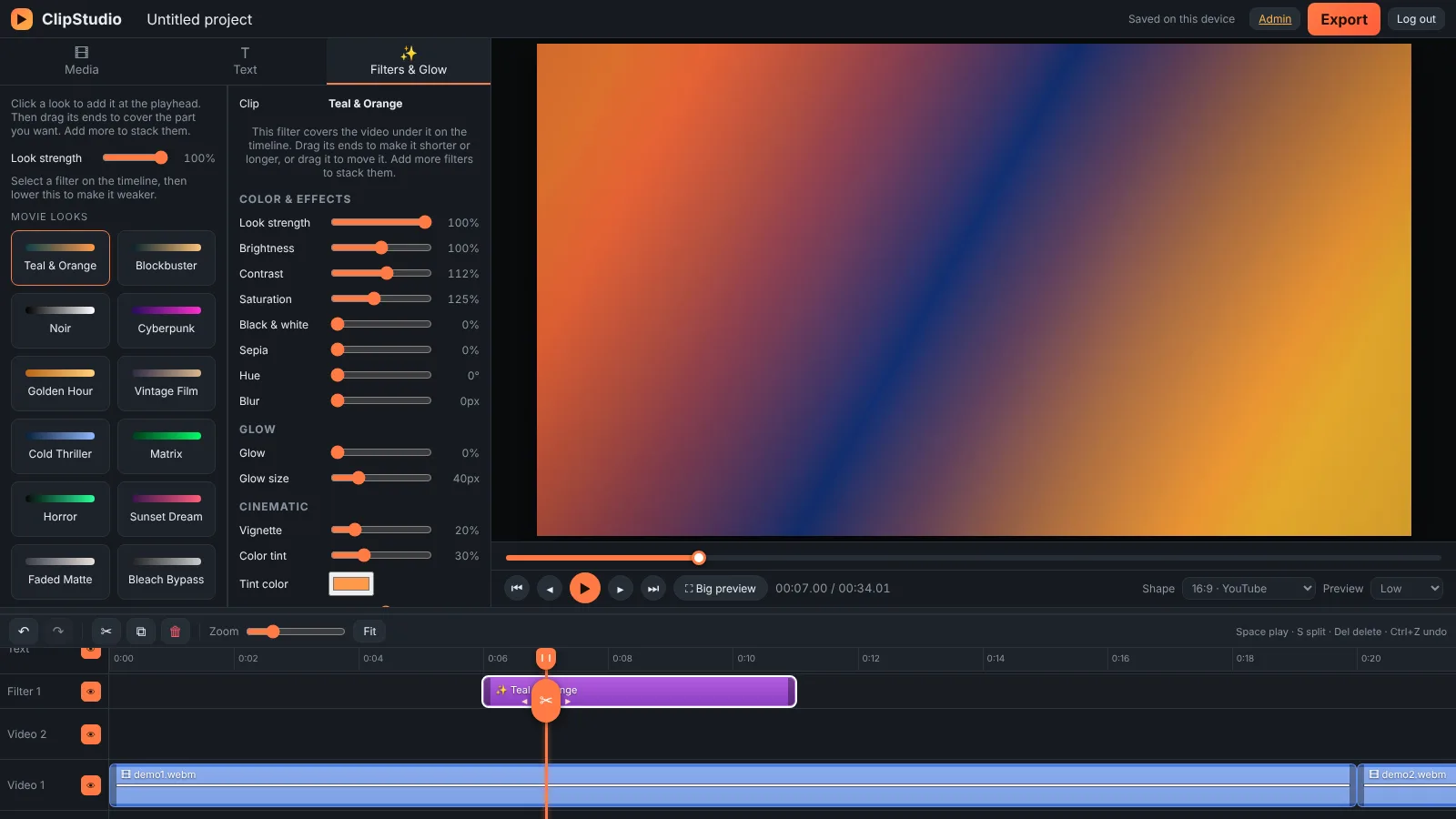
The ClipStudio editor with a video on the timeline and a movie filter applied

Everything you need to edit

Familiar tools, laid out the way you expect them.

✂

Cut, trim and move

Double-click a clip to cut it right where you want. Drag the ends to trim and drag clips to move them on the timeline.

✨

Stackable filters

Add a filter, drag it over just the part you want, then add another on top. Lower its strength to make it softer.

🎬

Movie looks and glow

One-click cinematic looks like Teal & Orange and Noir, plus a soft glow for that dreamy feel.

⏩

Speed and pitch

Change speed from slow to fast, set exact values like 1.10×, and adjust pitch separately.

📐

Any shape, fill the frame

Switch between 16:9, 9:16, 1:1 and 4:5. Crop to fill with one click, or drag the corners to fit it yourself.

🔊

Sound you can see

See the waveform on your clips and drag the line up or down to set the volume.

New: ClipStudio Downloader

Save videos to edit, in one click

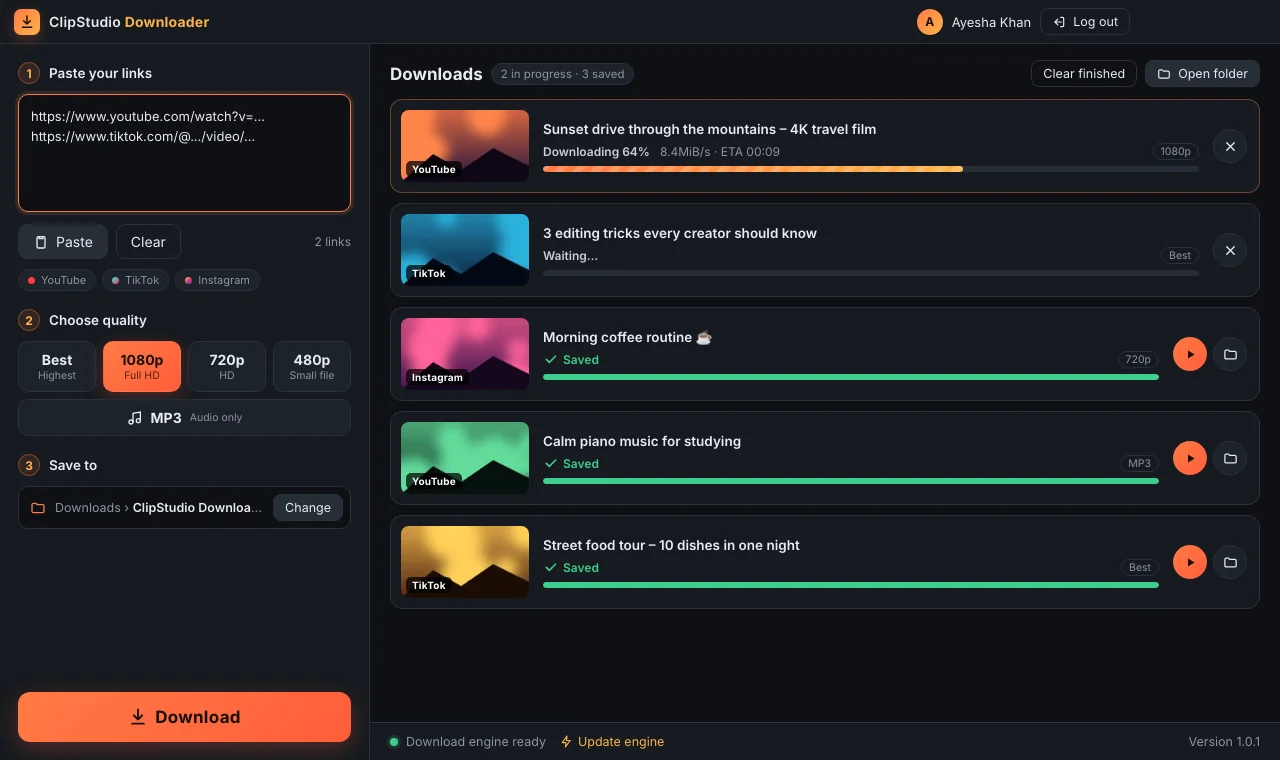
Download videos from YouTube, TikTok and Instagram straight to your laptop, then edit them in ClipStudio.

  • Best, 1080p, 720p, 480p or MP3 audio
  • Paste many links at once
  • Same ClipStudio account, one computer at a time
ClipStudio Downloader app

Install in a minute

No technical skills needed.

Download

Click Download for Windows above and save the file.

Extract

Right-click the downloaded zip and choose Extract All.

Open

Open the folder and double-click Start ClipStudio. The first time it downloads the app, which takes 1–3 minutes.

Create account

New? Choose Sign up in the app. After your teacher approves you, log in. Next time, just double-click the same file.

New here?

Install the app and choose Sign up to create your account. Your teacher approves it, then you can start editing. The same account works in ClipStudio Downloader.

Mac, Chromebook or no installs allowed?

Use ClipStudio as an app straight from Chrome or Edge. No download needed.

Install as a web app

Questions

Quick answers before you install.

Windows says "Windows protected your PC". Is it safe?

This message appears for any new app that isn't from a large publisher. Click More info, then Run anyway. The app only opens the ClipStudio website in its own window.

Do I need internet?

Yes, to log in and to load the editor. The first run also downloads the app (about 115 MB), so do that on a good connection.

Are my videos uploaded anywhere?

No. Your videos stay on your own computer. Editing and exporting happen on your laptop.

Do I get updates?

Automatically. The app always opens the latest version of ClipStudio, so you never need to download it again.

Can I use my account on two computers?

One computer is active at a time. If you log in on another device, the first one is logged out.

What can I export?

MP4 video where your browser supports it, otherwise WebM. Exporting runs in real time, so a 2-minute video takes about 2 minutes.

Ready to start editing?

Download ClipStudio and make your first video today.

⬇ Download for Windows